
A TikTok Catalogue feed for TikTok shopping ads
Publish a valid TikTok Catalogue XML feed and run Video Shopping Ads, Catalogue Ads and dynamic retargeting against your live product data.
Google-compatible schema, VAT-inclusive GBP prices, scheduled fetch and instant webhook sync - from any Shopify, WooCommerce, BigCommerce, Magento, PrestaShop or CSV source.
No credit card required.
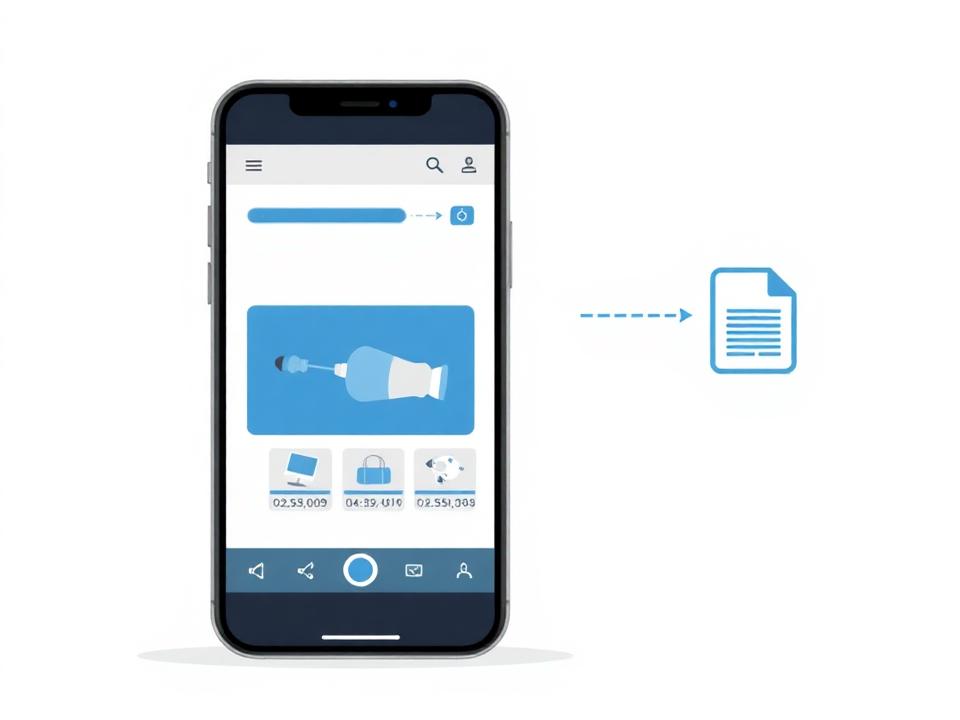
Connect a store (or upload a CSV), copy your Google mapping across, set google_product_category, then paste the public XML URL into TikTok Ads Manager as a scheduled feed. Products appear in your catalogue within a few hours.
Set up in 5 steps
- 1
Connect a store or upload a CSV
Add a store from the dashboard: Shopify, WooCommerce, BigCommerce, Magento, PrestaShop or a CSV upload. One connection can serve Google, Meta, Bing and TikTok feeds at the same time.
- 2
Enable the TikTok channel
Tick TikTok Catalogue during setup, or open an existing store and choose Configure on the TikTok Catalogue row.
- 3
Map google_product_category
TikTok rejects items without a Google product category. Use the built-in taxonomy picker to set it once as a static value, or map it from a product field or metafield.
- 4
Preview and check feed health
The Preview tab shows the exact <item> block TikTok ingests, and Feed health flags missing brand, category, identifiers or invalid availability values before submission.
- 5
Add the feed in TikTok Ads Manager
Assets then Catalogue then Add products then Scheduled feed. Paste /feeds/{storeId}/tiktok-catalog.xml, set a daily update and TikTok starts ingesting products within a few hours.
TikTok Catalogue attribute reference
TikTok mirrors the Google Shopping schema with one important difference: the Google product category is mandatory. AiFeedOptimiser blocks an invalid feed with a clear 422 error before TikTok ever sees it.
| Attribute | Required | Notes |
|---|---|---|
| id | Yes | Unique, stable SKU. TikTok tracks performance history against it across refreshes. |
| title | Yes | Up to 150 characters. Lead with brand and model - short-video audiences scan fast. |
| description | Yes | Plain text, HTML stripped. Up to 10,000 characters. |
| link | Yes | HTTPS product page URL that returns 200. |
| image_link | Yes | HTTPS main image, minimum 500x500 px. Portrait crops perform best in-feed. |
| price | Yes | Numeric plus currency, e.g. '19.99 GBP'. Inclusive of 20% UK VAT. |
| availability | Yes | 'in stock', 'out of stock' or 'preorder'. Normalised from your platform values. |
| condition | Yes | 'new', 'refurbished' or 'used'. Defaults to 'new'. |
| brand | Yes | Manufacturer or brand name. |
| google_product_category | Yes | Mandatory on TikTok. Pick from the official Google taxonomy in the mapping editor. |
| gtin | Optional | Strongly recommended for branded retail goods; improves match rates. |
| video_link | Optional | Optional hosted MP4 URL used by Video Shopping Ads. |
| item_group_id | Optional | Groups variants of the same product so TikTok does not show duplicates. |
Common TikTok catalogue rejection reasons
Missing google_product_category
TikTok treats it as required, unlike Google. Set it in the TikTok field mapping with the built-in taxonomy picker.
Landing page mismatch
The price and availability on your product page must match the feed. Enable instant sync so the feed never lags behind the shop.
Low-resolution images
TikTok wants at least 500x500 px. Portrait or square crops fill the in-feed placement far better than wide product shots.
Variant duplicates
Without item_group_id, every size and colour competes as a separate product. Map it so TikTok groups them.
Why merchants add TikTok alongside Google and Meta
Feeds built for Video Shopping Ads
The catalogue is what turns organic-looking short video into a shoppable ad. Without a clean feed, TikTok cannot run dynamic product placements at all.
Instant sync via webhooks
Shopify and WooCommerce product-update webhooks invalidate the TikTok snapshot immediately, so budget never goes to sold-out SKUs.
Category validation before submission
Feed health flags every item missing google_product_category or brand, so TikTok does not reject the upload after you have already scheduled it.
One catalogue, four channels
The same store connection powers Google, Meta, Bing and TikTok feeds with independent mappings, filters and rules.
Frequently asked questions
- What is a TikTok Catalogue feed?
- A TikTok Catalogue is the product database behind Video Shopping Ads, Catalogue Ads and dynamic retargeting. You upload it as a scheduled XML or CSV data feed in TikTok Ads Manager, and TikTok pulls fresh product data on your chosen schedule.
- Is this the same as TikTok Shop?
- No, and the distinction matters. TikTok Shop is the in-app marketplace where TikTok processes the order, and listings there are managed through Seller Center or an official Shop connector. The TikTok Catalogue is the advertising product feed used to run shopping ads that click through to your own website. AiFeedOptimiser generates the Catalogue feed.
- Which attributes does TikTok require?
- id, title, description, availability, condition, price, link, image_link, brand and google_product_category. TikTok is stricter than Google here: google_product_category is mandatory, so map it in the TikTok feed editor before you submit.
- Can I reuse my Google Shopping mapping?
- Yes. TikTok accepts the Google Shopping attribute schema, so the TikTok feed editor has a one-click Copy from Google option. Adjust titles or exclusions afterwards if you want a different angle for short-video audiences.
- Can I add product videos to the feed?
- Yes. TikTok supports an optional video_link attribute, which is included in the TikTok field mapping. Map it from a metafield or CSV column holding the hosted MP4 URL and TikTok can use it in Video Shopping Ads.
- Are prices VAT-inclusive?
- Yes. TikTok expects UK prices inclusive of tax, and AiFeedOptimiser always emits prices with 20% VAT included in GBP.
Related guides
Meta Catalogue feed
Facebook Shops, Instagram Shopping and Advantage+ ads.
Google Shopping feed basics
Required attributes, UK VAT rules and common disapproval errors.
Bing Shopping feed
Lower CPCs across Bing, Yahoo, DuckDuckGo and Edge.
What is product feed management?
Ingest, transform, validate and distribute product data across every channel.
Launch your TikTok Catalogue feed today
Start with a 14-day free trial. Google, Meta, Bing and TikTok feeds are included in every plan.
No credit card required.