
Turn any product CSV into a Google Shopping feed
Upload a product spreadsheet and AiFeedOptimiser builds a Google Merchant Centre XML feed with auto-detected columns, VAT-inclusive prices, variant grouping, and manual re-upload.
No API, no developer, no code.
No credit card required.
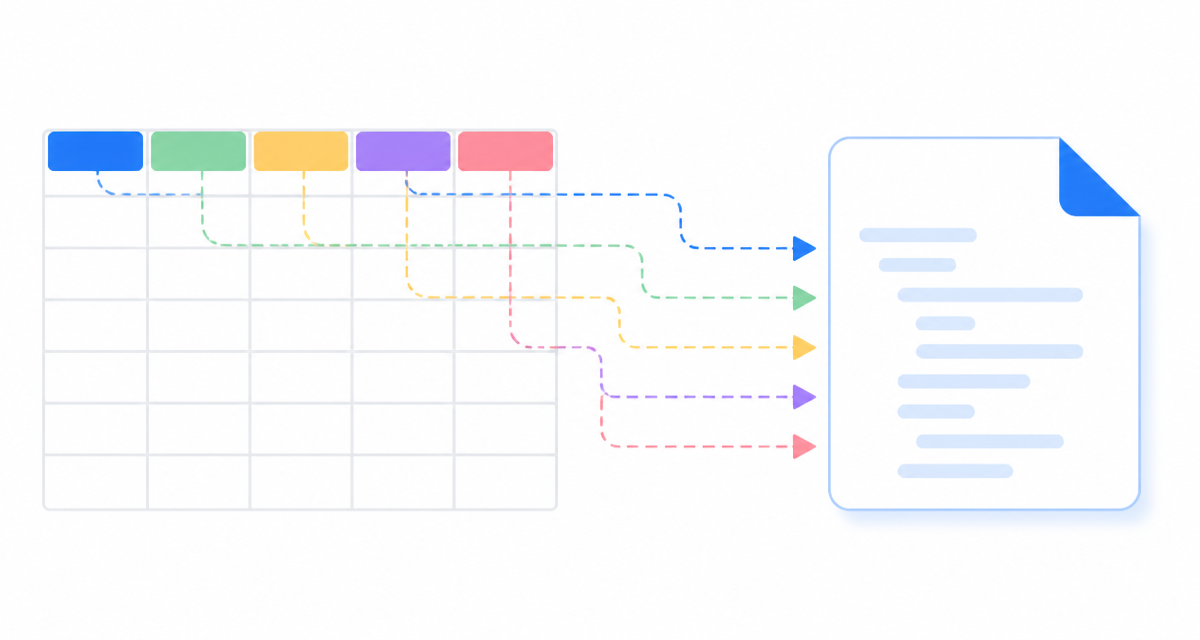
Upload a CSV with headers, let AiFeedOptimiser auto-detect the columns, then copy the public XML URL into Google Merchant Centre. Re-upload whenever you need a fresh feed - no API credentials, no theme changes, no waiting for a developer.
Set up in 5 steps
- 1
Export your product catalogue as CSV
Most e-commerce platforms have a product export option (CSV). Keep one row per SKU or variant and include headers on the first row. If you have variants, include item_group_id or parent_id so we can group them.
- 2
Create a CSV store in AiFeedOptimiser
Dashboard → Add store → CSV / Manual upload. Give it a display name and upload the file. The file is stored securely in a private bucket and is only readable by your account.
- 3
Review the auto-detected column map
AiFeedOptimiser scans the headers and suggests mappings for id, title, description, price, image_link, link, availability, brand, sku, gtin, mpn, product_type, condition, colour, size, weight, and currency. Adjust any field before saving.
- 4
Preview the generated feed
Open the Google feed preview to see how each row will look as a <item>. Fix missing required attributes in the source CSV or via the field mapping tab before going live.
- 5
Submit the public XML URL to Google Merchant Centre
Copy /feeds/{storeId}/google-merchant.xml from the store detail page and paste it into Merchant Centre → Feeds → Add feed → Scheduled fetch. Re-upload the CSV whenever the feed needs refreshing.
Need a sample CSV template? Visit the docs for the minimum required columns and an example file.
How CSV columns map to Google attributes
AiFeedOptimiser recognises many header variants for each Google attribute. The list below shows the most common aliases we auto-detect; any column can be mapped manually from the store settings.
| Google attribute | Common CSV headers we detect |
|---|---|
| id | id, sku, product_id, itemid, reference |
| title | title, name, product_name, product_title |
| description | description, desc, body, short_description |
| link | link, url, product_url, permalink |
| image_link | image_link, image, image_url, main_image, thumbnail |
| price | price, current_price, selling_price, final_price |
| sale_price | sale_price, compare_at_price, regular_price, was_price, rrp |
| availability | availability, stock, stock_status, in_stock |
| brand | brand, manufacturer, vendor, make |
| gtin | gtin, barcode, ean, upc, isbn |
| mpn | mpn, manufacturer_part_number, part_number, model_number |
| condition | condition (defaults to 'new') |
| google_product_category | google_product_category, google_category, gpc |
| product_type | product_type, type, category, collection |
| item_group_id | item_group_id, parent_id, parent_sku, group_id |
| color / size / material | color, colour, size, material, pattern, age_group, gender |
| shipping_weight | shipping_weight, weight, product_weight |
| currency | currency, currency_code, price_currency |
CSV-specific pitfalls to avoid
No header row
The first row must contain column names. Feeds without headers cannot be parsed or mapped automatically.
Prices mixed with currency symbols
AiFeedOptimiser strips symbols and parses the numeric value, but a dedicated currency column (or currency_code) makes the output more reliable.
All variants in one row
Google needs one item per purchasable SKU. Split variants into separate rows and include item_group_id so related variants are grouped together.
Missing required fields
Every Google Shopping item needs id, title, description, link, image_link, price, availability, brand, condition, and gtin (or mpn). AiFeedOptimiser flags missing fields before submission.
Why CSV upload is a fast way to start with Google Shopping
No API credentials needed
If your platform lacks a public API, or you simply have a supplier spreadsheet, CSV upload gets you to a live feed in minutes without developer access.
Auto-detected columns
We map common header variants automatically. If your CSV uses 'product_name', 'image_url', or 'was_price', we still pick the right Google attribute.
Validation before submission
Missing required fields block the feed with a clear 422 error, so you can fix the CSV before Google Merchant Centre ever sees it.
One CSV, multiple channels
Use the same uploaded file for Google, Meta, Bing, and TikTok feeds with separate mappings and filters per channel.
Frequently asked questions
- What kind of CSV files work with AiFeedOptimiser?
- Any product export works: Shopify, WooCommerce, Squarespace, Etsy, supplier spreadsheets, or custom CSVs. As long as each row is a product or variant and the first row contains headers, AiFeedOptimiser can map it.
- Does AiFeedOptimiser auto-detect column names?
- Yes. We recognise common labels such as title, name, price, sale_price, image, image_link, sku, gtin, mpn, brand, category, and many more. You can override the detected mapping at any time from the store settings.
- How often do I need to upload a new CSV?
- As often as you like. The XML feed is served from the last uploaded CSV until you replace it. For an always-current feed, connect one of our API integrations (Shopify, WooCommerce, BigCommerce, Magento, PrestaShop).
- How are prices and currency handled?
- AiFeedOptimiser tries to detect a currency code or symbol per row and falls back to GBP. If you provide a compare_at_price / regular_price / was_price column, the feed emits a sale_price for discounted items. All customer-facing prices in the app are shown inclusive of 20% UK VAT.
- Can I use the same CSV for Google, Meta, Bing, and TikTok feeds?
- Yes. Upload once, then configure separate field mappings and filters for Google Merchant Centre, Meta Catalogue, Bing Merchant Centre, and TikTok Catalogue. Every feed is served from the same underlying CSV.
Related guides
Google Shopping feed basics
Required attributes, UK VAT rules, and common disapproval errors.
What is product feed management?
Ingest, transform, validate, and distribute product data across every channel.
Shopify Google Shopping feed
Connect directly via Shopify 's Storefront API for automatic refresh.
WooCommerce Google Shopping feed
Pull products directly from WooCommerce REST API with real-time sync.
Upload your CSV and generate a Google feed today
Start with a 14-day free trial. No credit card required. No API keys needed - just a CSV with product headers.